
Family digital safety, made simpler

Healthier digital habits. Safer online moments.

Help your child with Screen Time, routines, Internet Safety, location, and Safe Places—from one clear Parent App.

Google Play — Coming soon
One Parent AppChild-aware setupPrivacy considered
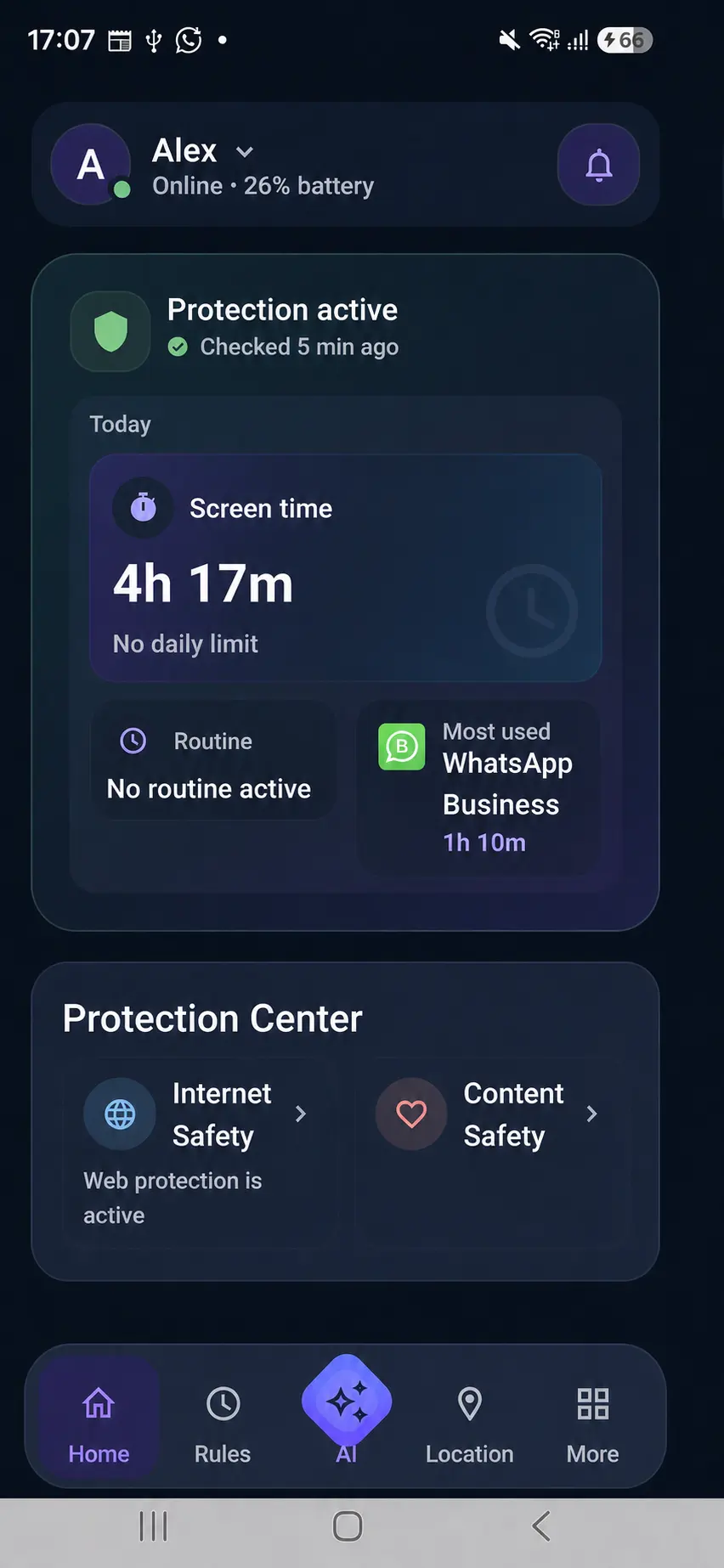
Kidder Parent App family overview showing protection, Screen Time, and family safety.
Explore Kidder

The everyday tension

Digital parenting shouldn’t feel like constant checking.

01

Screen Time stretches

Digital time can move beyond the routines a family wants.

02

The web keeps changing

Children need room to explore with understandable safeguards.

03

Distance adds uncertainty

Parents want reassurance without constant check-ins.

One connected viewOne calm Parent App for the moments that matter.

Kidder’s three core family outcomes

01 / 03 · Core outcomes

Healthy Digital Habits

Routines that work with real family life.

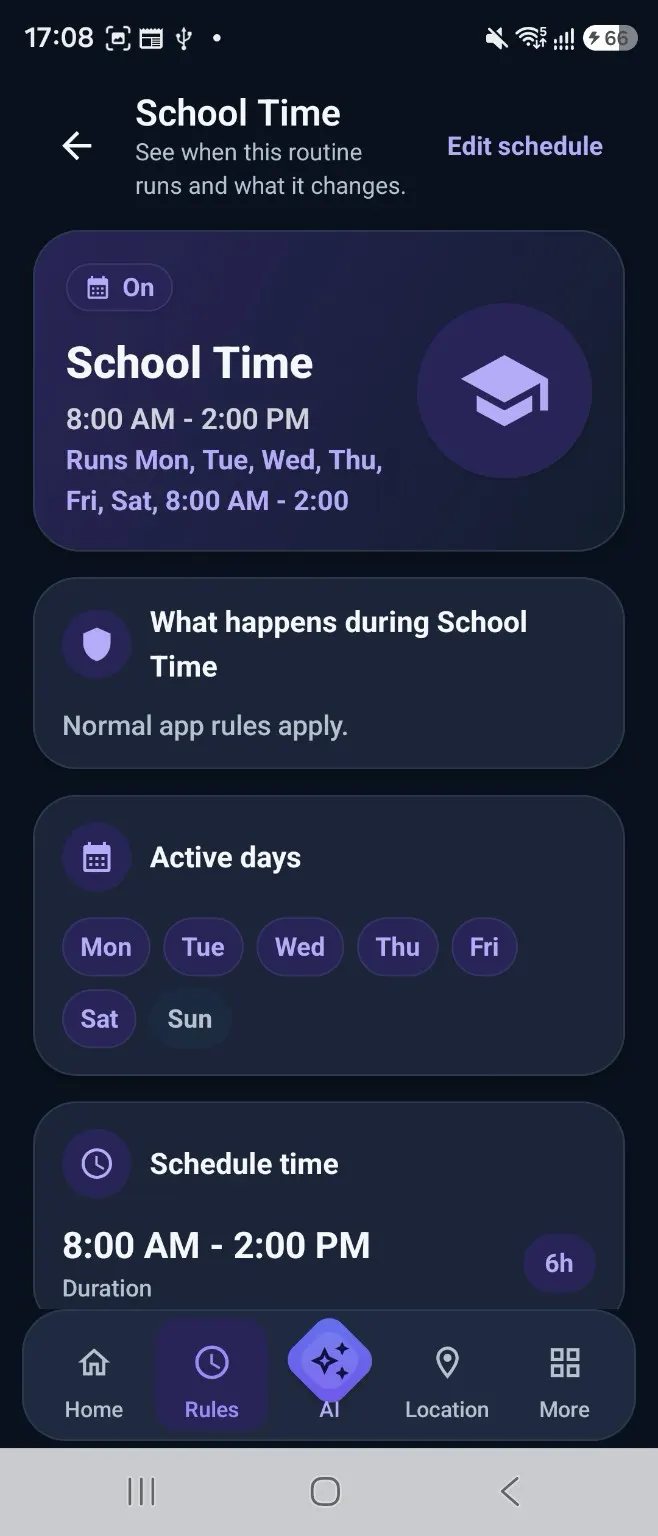
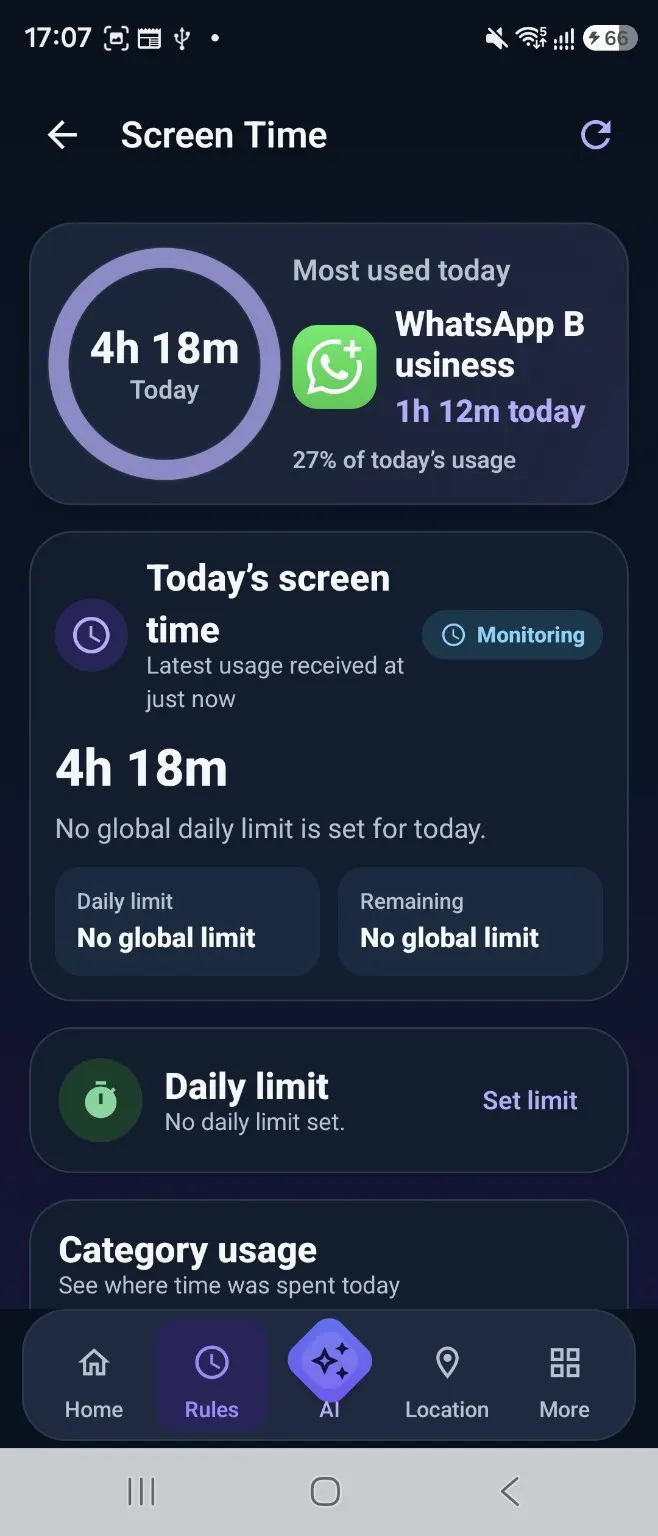
Use Screen Time, Rules, and School Time to shape time for school, rest, entertainment, and family routines.
  • Understand Screen Time in context
  • Keep routines visible as schedules change
Explore healthy habits
Kidder School Time routine screen.
Kidder Screen Time view showing today’s usage.
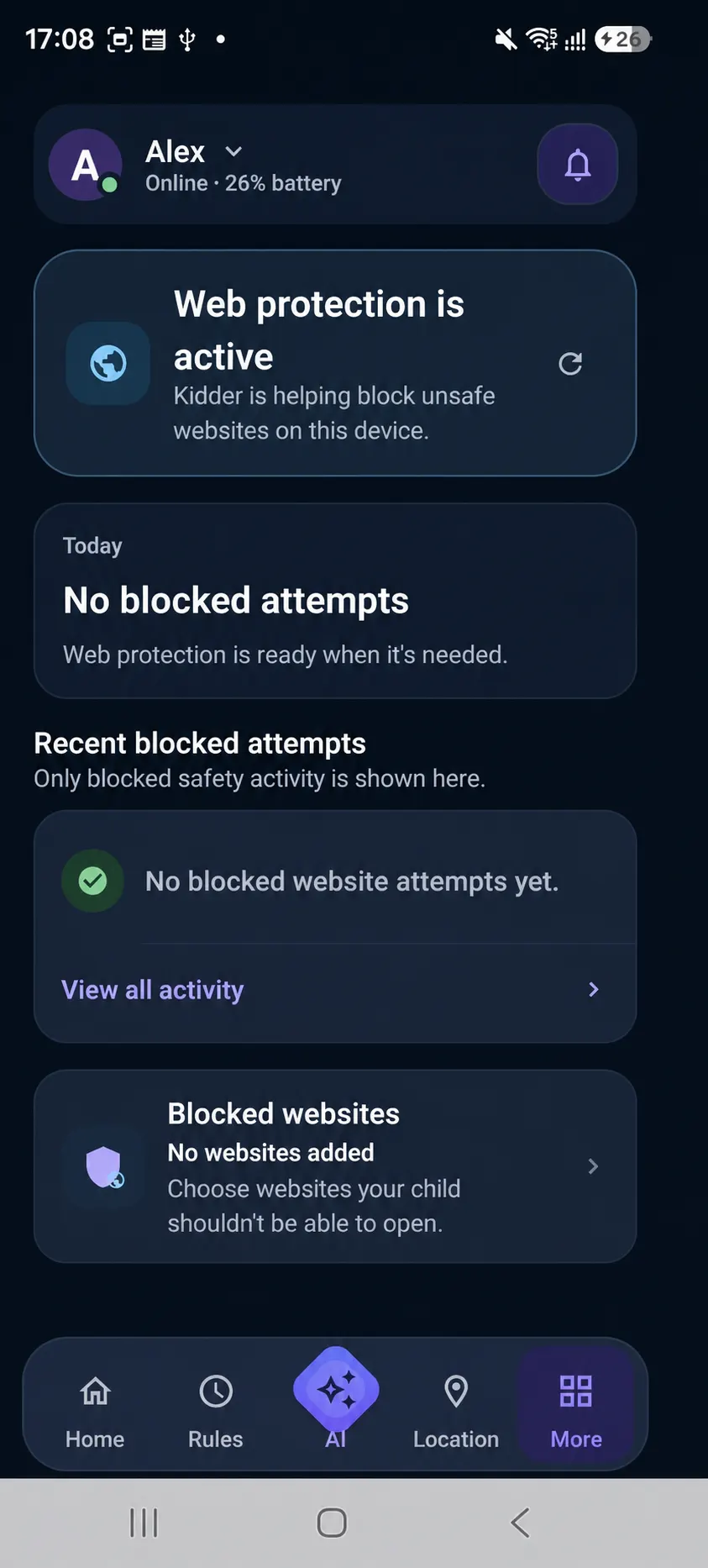
Kidder Internet Safety screen showing Web protection active.
02 / 03

Internet Safety

A safer online experience, clearly explained.

Use Internet Safety and family web rules to add protection around the way your child uses the web.

  • See protection status clearly
  • Choose understandable family web rules
Explore Internet Safety
03 / 03

Family Safety

Stay connected when they’re away.

Location and Safe Places can add useful context without turning every moment into a check-in.
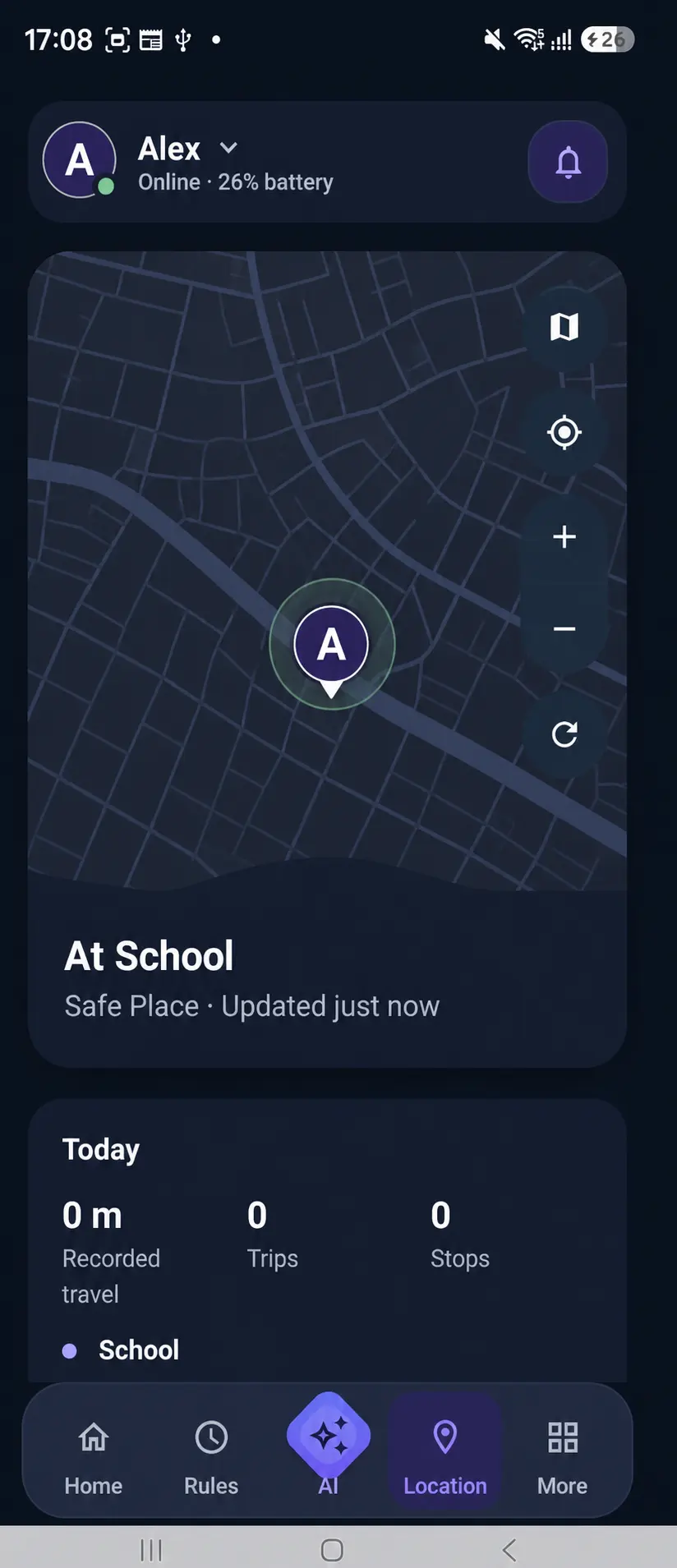
  • See meaningful Safe Place context
  • Check when location was updated
Explore Family Safety
Kidder Location screen showing a sanitized Safe Place state.

Inside the Parent App

The whole picture,
beautifully clear.

Protection status, Screen Time, routines, location, and Internet Safety—from one calm family view.

Kidder Screen Time screen.
01 — Screen Time
Kidder family overview screen.
02 — Family Overview
Kidder Internet Safety screen.
03 — Internet Safety

How Kidder works

Four clear steps.
One connected family.

The Parent App guides you through family setup, connecting the child device, and choosing protections—then keeps everyday context in one calm view.
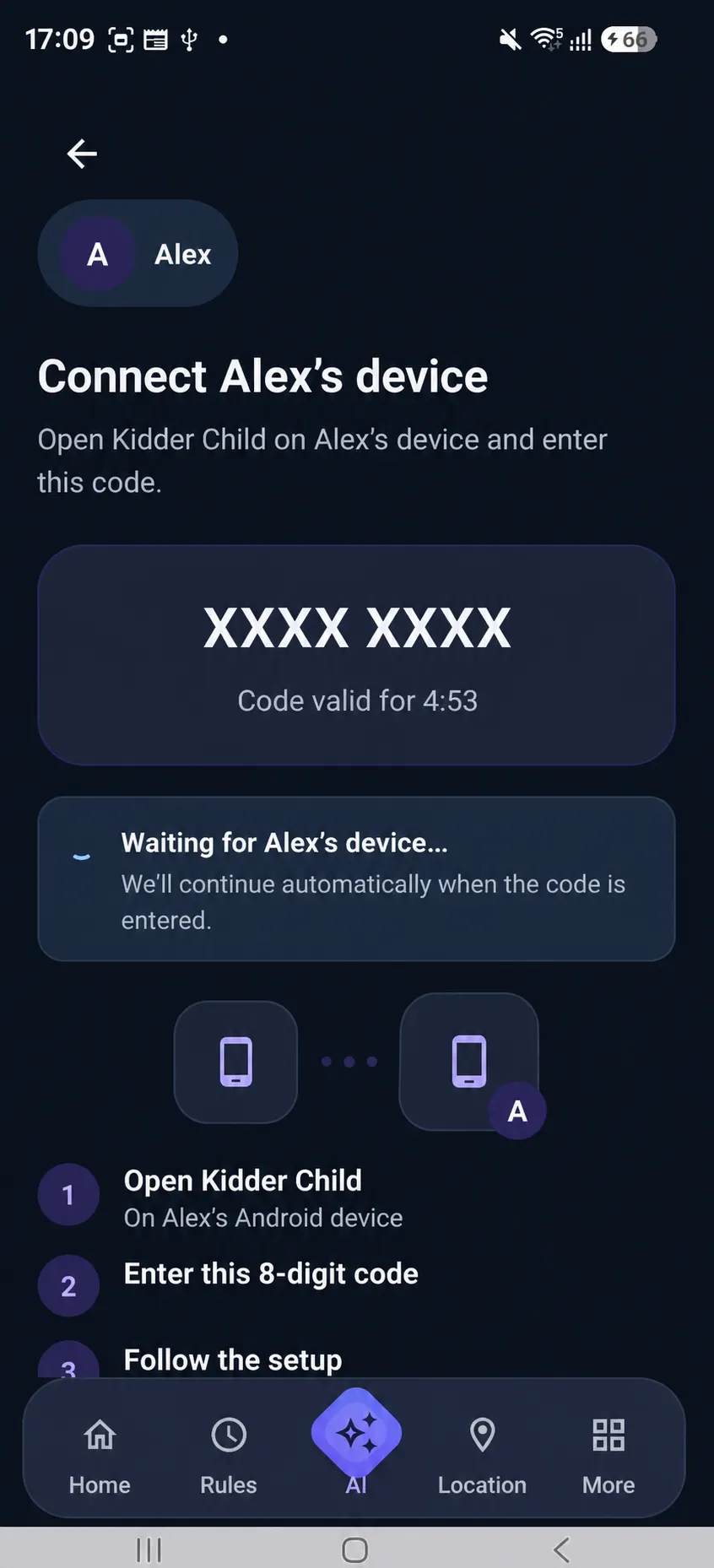
Kidder Parent App device pairing guidance.
  1. 01Start with the Parent AppPrepare your family space.
  2. 02Connect the child deviceFollow the guided setup.
  3. 03Choose family settingsSet routines and protection.
  4. 04Stay informedSee what may need attention.
Parent AppGuidance stays clearRoutines, protection choices, and useful family context.
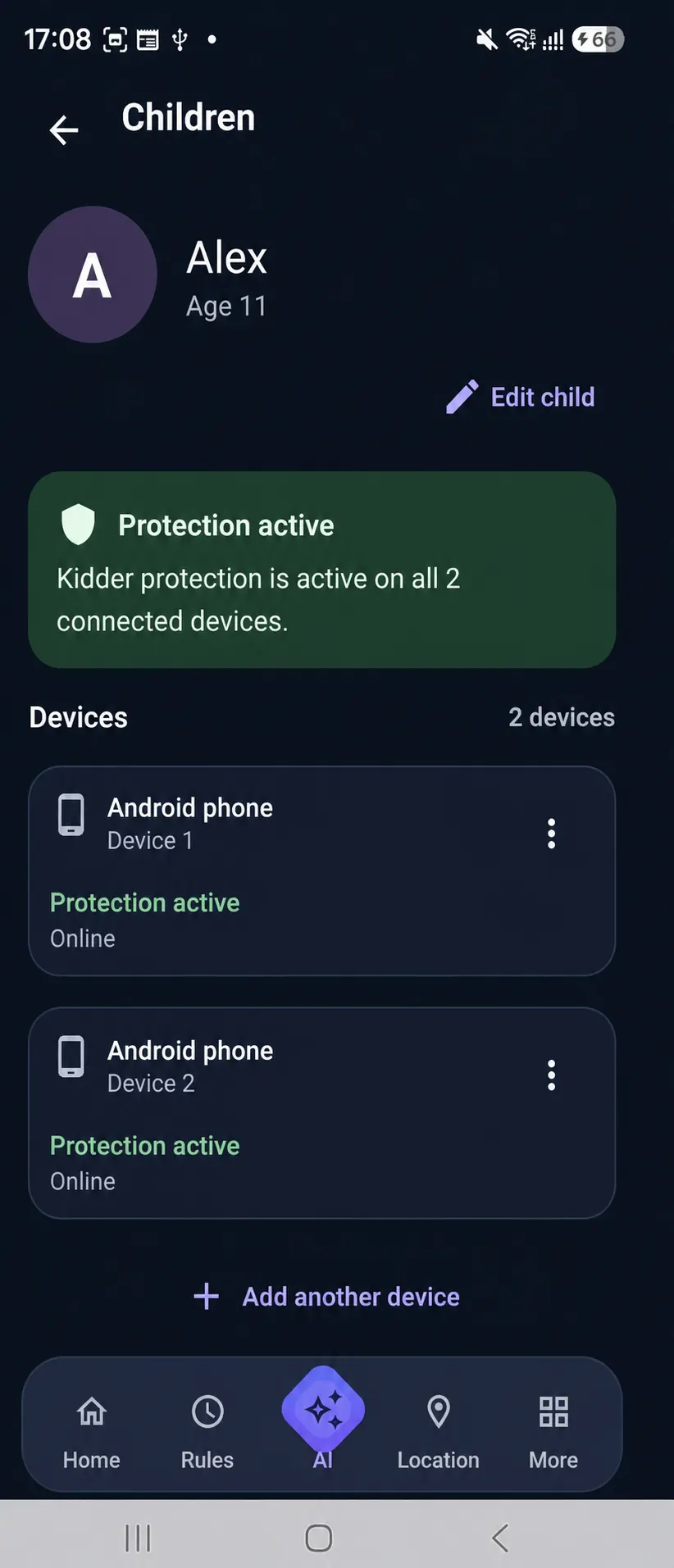
Kidder Parent App child profile screen.
Connected child deviceSetup stays transparentA visible part of the family setup—not a hidden experience.

Privacy & trust

Protection should never have to hide.

Kidder is designed to support families—not to hide from children. The Parent App keeps family choices clear while connected-device setup stays visible and understandable.

  • Child-aware setup
  • Minimum necessary information
  • Guidance instead of hidden monitoring
Privacy & Transparency

Simple pricing

Choose the support that fits your family.

Compare planned options and explore the Parent-first setup journey.

Annual billing saves about 17%

Standard

Essential family digital safety.

$149.99USD / year
SAVE 17%

Billed yearly · about $12.50/month equivalent

Included with Standard

  • Screen Time, app limits, and Extra Time
  • App and category rules
  • School Time, Bedtime, and routines
  • Internet Safety and Content Safety
  • Live location, manual refresh, and Safe Places
Compare all plan features
Getting Started $14.99 USD / month · $149.99 USD / year. Annualized monthly price $179.88; yearly savings $29.89.

Premium

More history and advanced family controls.

$199.99USD / year
SAVE 17%

Billed yearly · about $16.67/month equivalent

Everything in Standard, plus

  • 30-day location and activity history
  • Location Replay
  • Content Safety history
  • Pause a connected child device
  • Up to 5 children and child devices
Compare all plan features
Getting Started $19.99 USD / month · $199.99 USD / year. Annualized monthly price $239.88; yearly savings $39.89.

Yearly figures show the planned annual billing option. Signup, purchase, and billing are not currently available.

Questions, answered

Clear before
you begin.

Product, setup, privacy, and pricing—without the fine-print feeling.

Visit the full FAQ
01How does Kidder work with my child’s device?

The Parent App guides you through connecting the intended child device. The Parent and Child Apps have distinct, visible roles in the family setup.

02Will my child know Kidder is installed?

Kidder is designed around child-aware setup and transparent family use—not hidden installation or covert monitoring.

03What can I manage from the Parent App?

Current product views include Screen Time context, School Time and routines, Internet Safety settings, protection status, location, and Safe Places.

04Does Kidder work on Android?

The currently published compatibility and setup guidance is focused on supported Android devices.

05How does Kidder approach family privacy?

Kidder’s public approach centers clear permissions, distinct Parent and Child App roles, and the minimum information needed for the features a family chooses.

Start with your family

A calmer digital rhythm starts here.

Explore the Kidder Parent experience, then see how family protections and routines work together.